






🔮 Mortal Kombat 1's #TwitchDrops!
Get your hands on the exclusive purple skins:
1️⃣ Click the link: https://rewards.wbgames.com/games/mortal-kombat-1/twitch-rewards/mortal-kombat-1-twitch-drops
2️⃣ Link your accounts
3️⃣ Enjoy the epic rewards!
4️⃣ Follow us while you're at it: https://twitch.tv/realmkast & https://twitch.tv/mortal_kombat_online
Watch @mikejones_mad TONIGHT 7 PM ET AT https://twitch.tv/mortal_kombat_online GONNA MISS US?
@Bread_Geezy & @BlankOctober WILL BE STREAMING FRIDAY 8 PM ET
JOIN US @ https://discord.gg/mkonline TO STAY UPDATED

"If it is alive it can feel pain. If it has eyes it can see it own suffering. If it has blood you can make it bleed. If it has a mouth you can make it scream." Darth i forgot his name.
"Thats the best thing about you humans. You bleed." a tarkatan warrior.
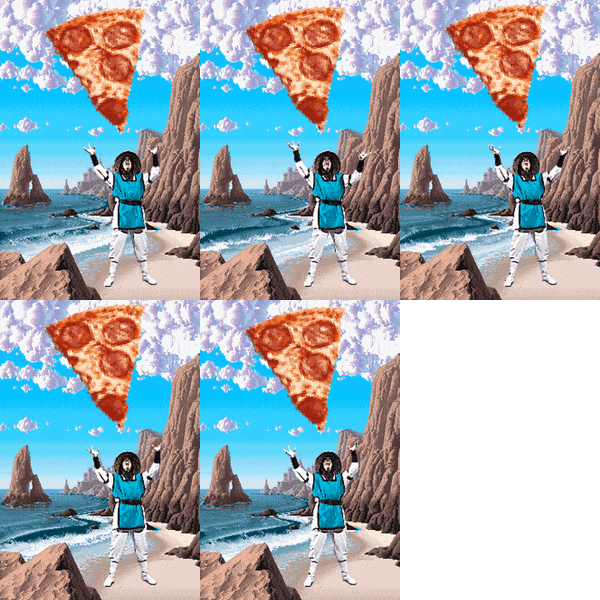
🎉 Time flies now that Kronika is gone! 🎉
Happy 5th Anniversary to #MortalKombat11!
Let's celebrate by reminiscing about epic battles, jaw-dropping fatalities, and the evolution of the MK franchise!
Share your favorite moments!
#MortalKombat1 #Anniversary #MK11 #MK1
What do you like? Hit the Toasty thumbs up on articles and forum posts for a quick response!
PC Steam & Epic Games Store
- Game Stability improvements
- Gameplay Performance improved for most Hardware configurations, including Valve SteamDeck
- Refined Online Benchmark's Storage Speed check to determine Krossplay Matchmaking eligibility
Nintendo Switch
- Fixed visual issue where Liu Kang’s hair would clip through his headband
- Fixed color of certain palettes for Smoke
- Fixed an issue causing a soft lock during KOTH matches
General Fixes & Adjustments
- Move list corrections & Localization fixes
- AI adjustments & improvements
- Improvements to Screen Reader functionality
- Added Ermac Fighter to Roster
- Added Deception skins for Shao Kahn & Sindel and Deadly Alliance skins for Quan Chi & Shang Tsung
- Fixed several visual issues with brutalities
- Improved AI ability to perform and defend against Wakeup & Reversal Attacks
- Guest Users can now access unlocks in Local Versus
- Fixed Gameplay > Pause Delay setting affecting modes outside of gameplay
- Fixed situations where health values displayed during Survivor Tower could be incorrect
- Fixed issue that could cause Daily & Weekly Quests to display incorrect time remaining
- Fixed an issue that could cause Streak Stat to not be tracked properly after Kombat League & KOTH matches
- Fixed situation where game could become unresponsive if internet connection is lost while a DLC character is being purchased from Fighter Select
- Adjusted Fatal Blow Boost timing & damage during Story Mode Kameo Fatal Blows
- Improved timing to be more intuitive for both players regaining control after a Match Extended occurs
- Fixed camera issue that could occur when rapidly entering and exiting Kustomize Photo Mode
- Added missing Lesson Komplete announcer audio on Kombo Challenges
- Fighters can now be rotated in the Premium Shop & Seasonal Store with the Right Stick
- Added Change Pose option in Kustomize Photo Mode
- Fixed issue with Replays where an incorrect name may appear after viewing a Kombat Kard
- Fixed several audio issues with Replays when playing at 1/2 speed
- Fixed issue where game could become unresponsive if user signs out while watching a Replay
- Fixed issue with Kameo moves not executing while the Roster character is performing a dash with specific timing
- Fixed issue that could briefly cause incorrect Victim Regions to be used after duck blocking an attack then letting go of the block button and remaining idle
- Fixed rare situations of incorrect gameplay face animations being displayed
- Adjusted Opponent’s position on the first frame of some standing reactions
- Fixed an issue that was preventing Maximum Damage from triggering in multiplayer modes
- Fixed motion blur during some moves being applied differently for Player 2
Online
- Adjustments to Rollback to improve online performance
- Added Krossplay support (PC, Xbox Series X/S, & PlayStation 5 versions) to KOTH Matches
- Fixed several issues with Krossplay & KOTH invites
- Fixed "Players Met" not updating with players from Private Matches
- Fixed a long delay that could sometimes occur if your opponent's connection is lost during Kasual Versus
- Fixed issue that could cause players to have to wait for the timer to expire if the King leaves the lobby before first match has started
- Fixed issue causing some Quests to track during Private online matches
Invasions
- Fixed Mask consumables not working during Survival missions
- Fixed issue that could cause some opponents to have incorrect names during Endurance & Ambush fights
- Fixed rare situations where a new Endurance fight opponent would not be facing the correct direction
- Fixed visual issue with Endurance matches where some attacks that could cause the opponent to explode twice when defeated
- Fixed issue that could cause Kombo Attacks to not cancel into Talisman Activations
Practice Mode
- Fixed Block Mode > Up Block not working correctly if opponent is hit then player switches sides with a jump attack
- Fixed rare issue causing certain attacks to not trigger Breaker while Kustom Dummy with Breaker Mode On is used
- Fixed damage numbers overlapping during Fatal Blows with multiple hits in quick succession
- Fixed Random Playback Trigger not picking a random recording upon Practice Resetting before the current recording playback finishes
Character Specific Adjustments
Main Fighters
Baraka
- Fixed Bleeding Blade unable to trade hits
General Shao
- Fixed Settled Dispute (Down + Back Punch) causing incorrect knockdown animation when hitting a Kameo
- Fixed visual issue with Shao not dropping his axe as expected when defeated by a Brutality while performing certain attacks
Geras
- Added UI element to display the current Hourglass level used by Inevitable & Fixed Point
- Atomic Driver (Jump + Back Punch, Front Punch, Front Punch + Back Punch) now has 2 more frames of hit advantage and releases opponent from the synchronized animation earlier
- Fixed issue that could cause Slow Down (Towards + Front Punch, Back Punch) Stone Tablet to spawn in incorrect location when done near the corner
- Fixed camera issues that could occur during History Lesson while in an online match with high latency
Havik
- Fixed Batters Up-percut (Down + Back Punch) causing incorrect knockdown animation when hitting a Kameo
- Fixed issue that could cause a Neoplasm projectile to no longer be active if a second Neoplasm attack is done with specific timing in rapid succession
- Fixed Sub-Zero Arctic Armor losing visual effects if Havik's Throws are Escaped
Kenshi
- Fixed incorrect animation being briefly used if using Sento Stance with Practice Settings -> Team Settings
- Fixed color of Kameo meter if using Sento Stance Ancestor with Practice Settings -> Team Settings
Liu Kang
- Fixed rare situation that could cause the opponent to face the wrong direction when hit with Low Dragon
Mileena
- Fixed rare issue that could cause Roll to use an incorrect animation when interacting with some Modifiers
Nitara
- Fixed Deep Slash (Jump + Front Punch) not being able to combo into Hex Kick (Front Kick)
- Fixed rare issue with (Air) Dash specials which could cause Enhanced (Air) Dash to be prioritized if Nitara performs a grounded attack the same frame as landing after an (Air) Dash
Raiden
- Electromagnetic Storm no longer pulls in airborne opponents that are not in a combo, has less pushback on block for all hits except final hit, and does 27 less damage
- Electromagnetic Storm & Enhanced Electromagnetic Storm no longer hit airborne opponents that are not in a combo and have 10 more frames of recovery on block
- Increased recovery on miss of Electric Fly & (Air) Electric Fly by 8 frames
- Razzle Dazzle & Enhanced Razzle Dazzle has 1 more start-up frame, 5 more blockstun frames, and increased pushback on block
- While Electric Charge is active, Razzle Dazzle & Enhanced Razzle Dazzle will gain extra block stun and pushback if (Back Punch) is held
- Enhanced Razzle Dazzle follow-up has a different hit reaction
- Electric Charge takes twice as long to reach maximum charge
- Fixed lingering audio if Lightning Strikes (away + Back Punch) is interrupted by a Kameo Partner
Rain
- Added new Basic Attacks, Shipwrecker (Towards + Front Punch) & Puddle Step (Away + Front Kick)
- Added new Kombo Attacks, Kraken Killer (Towards + Front Punch, Back Punch) & Surface Breacher (Away + Front Kick, Back Kick)
- When It Rains... (Back Punch, Front Punch, Front Punch) first hit has 2 more frames of hit advantage
- Flood Gate (Towards + Back Punch) has 7 more frames of hit advantage & recovers 2 frames slower on hit
- Undertow (Towards + Back Punch, Front Punch) has 5 more frames of hit advantage, 5 less blockstun frames, & recovers 5 frames faster
- Waterwhirled (Towards + Back Punch, Front Punch, Front Kick) starts up 5 frames faster
- Water Beam Charge can now be cancelled into some other Special Moves
- Water Beam Charge Cancel can now be done 5 frames faster & only be used once per Kombo
- Rain God now has 4 more frames of start-up when done as a cancel during a combo
- Fixed being unable to duck block after dashing during Water Beam Charge Cancel or Hydropho-Kick Charge Cancel
Reptile
- Killer Kick (Front Punch, Front Punch, Back Kick) can now be cancelled into (Air) Falling Fangs
- Froggy Knee (Back Punch, Front Kick) and Kneet Trick (Towards + Back Punch, Front Kick) now move slightly further and have a larger hit region when opponent is in a combo
- Devastating Blow (Away + Back Punch) fully charged now starts up 3 frames faster and recovers 3 frames faster
- Kroco-Die-Le (Front Kick) first hit has 12 more frames of hit advantage
- Acid Spit Ball is a new Special Move performed by holding (Front Punch) during Acid Spit or Enhanced Acid Spit
- (Air) Falling Fangs & Enhanced (Air) Falling Fangs can now be cancelled by holding Down
- Enhanced Invisibility now becomes fully invisible about 2 seconds faster
Scorpion
- Added new Kombo Attack Fire Pillar Thrust (Towards + Front Kick, Back Kick)
- Increased Hit Region & landing speed of Get Over There (Jump + Front Punch, Front Punch, Back Punch) and it now has a different hit reaction
- Fixed rare situation where opponent would pass through Scorpion after being hit by Spear near the corner
- Fixed being able to extend Finish Him sequence by duck attacks cancelled into Spear
Sindel
- Input for (Air) Hairball can now be buffered during the start-up of (Air) Levitate
- Fixed rare issue with (Air) Levitate which could cause the move to become disabled if Sindel performs a grounded attack the same frame as landing from Levitate Cancel
- When Enhanced Queen's Kommand hits Khameleon, the current Disguise color will be used for the Kameo meter
- Fixed delay that could sometimes happen on being able to use Kameo moves after successful Enhanced Queen's Kommand
Smoke
- Fixed issue that could cause Tele-Stab (Away + Back Punch) to miss opponents when cornered and performed immediately after being hit by a throw
Omni-Man
- Fixed rare issue with (Air) Fly specials which could cause Enhanced (Air) Fly to be prioritized if Omni-Man performs a grounded attack the same frame as landing after an (Air) Fly
Quan Chi
- Zone of Waste armor being applied no longer resets combo counter & damage scaling
- Fixed issue that could cause Zone of Fear to not spawn if opponent is performing a Parry
- Fixed issue with Field of Bones that could cause two Bone Cages to appear
- Fixed Zone of Waste able create two Zones when using Practice Settings -> Team Settings
- Enhanced Zone of Waste is now available in Practice Settings -> Team Settings
Peacemaker
- Heavy Overhand Of Justice (Back Punch) does 20 less damage
- Enhanced Force Multiplier does 10 less damage on 2nd & 3rd hits
- Activate Human Torpedo! does 10 less damage
- Enhanced Human Torpedo! does 20 less damage & has increased combo damage scaling
- Enhanced Sonic Boom does 20 less damage
- Activate Force Field can absorb a maximum of 2 hits & lasts 2 seconds shorter
- Fixed issue that could cause Eagly to still attack if Ground-Air Offensive or Beautiful Bird Bullet had just been blocked
- Fixed issue with The Ultimate Ally causing hit pause to only apply to the opponent when it is interrupted instead of both players
- Fixed issue that could cause Activate Human Torpedo! to sometimes push knocked down opponents
- Fixed issue with Activate Anti-Gravity Soft Landing could go in an incorrect direction when cancelling into jump attacks near Arena walls
- Fixed rare issue that could cause Enhanced Activate Forcefield to stack with other buff moves with specific timing
- Fixed camera issue during a mirror match when both players perform "Activate Anti-Gravity" at the same time
- When Fatal Blow is blocked or misses, Peacemaker's assault rifle will no longer disappear abruptly when hitting the ground
- Fixed issue with Activate Force Field done at precise timing as the previous Force Field buff expires that could result in some missing visual effects
- Fixed visual issue that could occur if Peacemaker was teleported by Motaro during some special moves with specific timing
- Adjusted Helmet impact audio when Chambered Round Gear is equipped
Kameo Fighters
Frost (Kameo)
- Fixed rare issue that could cause Snow Flakes to cause a desync during a Krossplay match
Jax (Kameo)
- Slightly increased hit region on Back Breaker when opponent is in a combo
- Fixed issue with Kameo meter color getting stuck purple if practice reset is used at specific timing
Kung Lao (Kameo)
- Buzz Saw no longer hits airborne opponents not in a combo
Sektor (Kameo)
- Flame Thrower second hit now is considered a projectile instead of melee attack
Scorpion (Kameo)
- Hell Blades hit reaction has 13 more frames of hit advantage before the opponent is knocked down
Shujinko (Kameo)
- Shujinko recovers from his Breaker 15 frames earlier
- Fixed Shujinko being briefly invisible if he performs a Breaker then immediately performs Kameo attack
- Most Copy Kat & Mimic additional abilities are now shown in the move list
- Shujinko has learned additional Kopy Kat & Mimic abilities from many Fighters
- Ashrah
- Mimic Light Ascension recovers 7 frames faster
- Hold Down during Kopy Kat Heaven’s Beacon to perform Hell’s Pillar
- Baraka
- Copy Kat Bleeding Blade recovers 9 frames faster
- Mimic Stab Stab will now briefly impale airborne opponents with Broken Blades dealing bleed damage over time and causing them to take increased block damage
- Hold Down during Mimic Stab Stab to perform Baraka Barrage
- Geras
- Shujinko advances slightly during Kopy Kat Sandstorm
- Hold Down during Kopy Kat Sandstorm to perform Denial
- General Shao
- Kopy Kat Power Strike recovers 3 frames faster
- Hold Up during Mimic Death Quake to perform Klassic Kahn
- Havik
- Shujinko advances slightly during Mimic Seeking Neoplasm
- Hold Down during Mimic Seeking Neoplasm to perform Neoplasm
- Johnny Cage
- Kopy Kat Shadow Kick recovers 5 frames faster on hit, 10 frames faster on miss, & is now -7 on block (up from -15)
- Mimic now performs Rising Star instead of Ball Buster
- Hold Down during Kopy Kat Shadow Kick to perform Ball Buster
- Hold Down during Mimic Rising Star to perform Throwing Shade
- Kenshi
- Shujinko advances slightly during Kopy Kat Ancestral Guard
- Hold Down during Kopy Kat Ancestral Guard to perform Force Push
- Hold Up during Mimic Summon Ancestor to perform Soaring Sento
- Kitana
- Kopy Kat Square Wave can be repeated by pressing Up + Kameo as he hits up to 2 times
- Kopy Kat Square Wave is now -12 on block at close range (up from -22)
- Shujinko advances slightly during Mimic Fan-Nado & now recovers 21 frames faster on hit
- Hold Down during Kopy Kat Square Wave to perform Fan Toss
- Kung Lao
- Kopy Kat Buzzsaw recovers 16 frames faster
- Hold Up during Mimic Shaolin Spin to perform Soaring Monk
- Hold Down during Mimic Shaolin Spin to perform Kung-Kussion
- Li Mei
- Shujinko advances slightly during Kopy Kat Shi Zi Lion
- Kopy Kat Shi Zi Lion recovers 10 frames faster on hit & 16 frames faster on miss or block
- Hold Up during Mimic Nova Blast to perform Sky Lantern
- Press Up + Kameo just after Mimic Sky Lantern to perform Air Nova Blast
- Liu Kang
- Kopy Kat Low Dragon recovers 10 frames faster
- Hold Up during Kopy Kat Low Dragon to perform Cosmic Flames
- Hold Up during Mimic Dragon’s Tail to perform Dragon’s Breath
- Mileena
- Kopy Kat Straight Sai recovers 9 frames faster
- Fixed flickering visuals that could occur during Mimic Roll
- Shujinko will no longer sometimes switch sides when Mimic Roll is blocked
- Mimic Roll is now -33 on Block (up from -55) & recovers 7 frames faster on Hit
- Hold Down during Kopy Kat Straight Sai to perform Low Sai
- Nitara
- Kopy Kat Bad Blood recovers 15 frames faster
- Mimic Leap Of Faith can now hit standing opponents & recovers 1 frame faster
- Hold Down during Mimic Leap Of Faith to perform Dark Plunge
- Hold Up during Mimic Leap Of Faith to perform Blood Sacrifice unless Nitara is Fighter Partner
- Raiden
- Mimic Lightning Port now does 60 damage (up from 20)
- Hold Down during Kopy Kat Electric Orb to perform Electric Fly
- Rain
- Mimic Upflow recovers 5 frames faster on hit
- Kopy Kat Water Beam can now be charged by hold Kameo Button
- Kopy Kat Water Beam Charge can be cancelled by Block for 1 bar of Super Meter
- Hold Down during Mimic Upflow to perform Water Gate Activate
- Reiko
- Kopy Kat Tactical Takedown now recovers 13 frames faster on miss & is -14 on Block (up from -26)
- Mimic now performs Pale Rider instead of Retaliation
- Hold Up during Mimic Pale Rider to perform Retaliation
- Hold Down during Kopy Kat Tactical Takedown to perform Assassin Throwing Stars
- Reptile
- Kopy Kat Acid Spit is now -7 on block (up from -10)
- Hold Up during Kopy Kat Acid Spit to perform Acid Spit Ball
- Hold Down during Mimic Force Ball to perform Dash Attack
- Scorpion
- Hold Up during Kopy Kat Rope Spin to perform Flame-Port
- Hold Down during Mimic Spear to perform Devouring Flame
- Shang Tsung
- When performing Mimic Form Stealer, Shujinko will wait until all ongoing effects are finished before morphing back from the opponent's Kameo
- Fixed Shujinko morphing at the incorrect time during Shokan Stomp after Mimic Form Stealer when facing Shang Tsung & Goro
- Hold Up during Mimic Form Stealer to perform Far To Close Triple Ground Skull
- Hold Down during Mimic Form Stealer to perform Close To Far Triple Ground Skull
- Sindel
- Hold Up during Kopy Kat Hair Ball to perform Queen’s Command
- Hold Down during Kopy Kat Hair Ball to perform Low Hairball
- Smoke
- Kopy Kat Shadow Blade is now +11 on hit (up from 0)
- Hold Down during Kopy Kat Shadow Blade to perform Smoke Bomb
- Sub-Zero
- Hold Up during Kopy Kat Ice Slide to perform Ice Clone Charge
- Hold Down during Mimic Ice Ball to perform Deadly Vapors
- Tanya
- Kopy Kat Heavenly Hand recovers 9 frames faster
- Shujinko advances slightly during Mimic Drill Kick
- Tanya’s Staff will no longer appear in Shujinko’s hand when Mimic Drill Kick is blocked
- Hold Up during Mimic Drill Kick to perform Umgadi Dodge
- Omniman
- Kopy Kat Mega Clap recovers 2 frames faster
- Hold Up During Mimic Honorable Death to perform Up And Away (was Hold Forward)
- Quan Chi
- Hold Down during Kopy Kat Head Rush to perform Falling Death
- Peacemaker
- Kopy Kat Force Multiplier recovers 6 frames faster
Sonya (Kameo)
- Sonya will no longer be pushed by the opponent while charging Energy Rings
Tremor (Kameo)
- Rolling Rock & Ground Pound no longer hit airborne opponents not in a combo
Khameleon (Kameo)
- Increased hit region on 2nd hit of Fan Toss for the first frame the attack is active
- Fixed rare issue that could cause incorrect combo scaling when using Sai or Fan Lift in a combo
Janet Cage (Kameo)
- Slightly increased combo damage scaling on Box Office Bomb & Box Office Bang
- Fixed several attacks performing hit-only follow-ups when connecting with Mime Time
- Fixed Forceball visual issues when being reflected or destroyed
- Sweepstakes (Away + Back Kick during Stunt Double) no longer hits airborne opponents not in a combo
Source: WB Games Support. "Mortal Kombat 1 Patch Notes - 4/16/2024 Patch Notes." WB Games Support, 16 Apr. 2024, https://mortalkombatgamessupport.wbgames.com/hc/en-us/articles/28476963202963-Mortal-Kombat-1-Patch-Notes-4-16-2024-Patch-Notes
1st |  Member Since 06/01/2018 08:36 AM (UTC) |
2nd |  Member Since 12/26/2020 05:08 PM (UTC) |
3rd |  |
4th |  Member Since 12/25/2018 08:38 PM (UTC) |
5th |  Member Since 09/16/2008 01:45 PM (UTC) |
1st |  Member Since 03/28/2021 05:10 PM (UTC) |
2nd |  Member Since 04/26/2021 09:18 PM (UTC) |
3rd | Member Since 12/26/2020 05:08 PM (UTC) |
4th | |
5th |  |
